

Welcome to Fubon Corp+, a mobile platform that enables corporate customers to access Fubon Bank (Hong Kong) e-Banking services on the go.
Fubon Corp+ supports English, Traditional Chinese, and Simplified Chinese, providing a streamlined experience for managing company accounts, executing transactions, monitoring cash flow, and accessing essential financial information anytime and anywhere.
For further inquiries, please contact our Customer Service Hotline* on 2806 5062 (Hong Kong Area)
*Office Hours: Mon to Fri: 9am to 7pm ; Sat: 9am to 1pm (Except Public Holidays)
Fubon Corp+ supports English, Traditional Chinese, and Simplified Chinese, providing a streamlined experience for managing company accounts, executing transactions, monitoring cash flow, and accessing essential financial information anytime and anywhere.
-
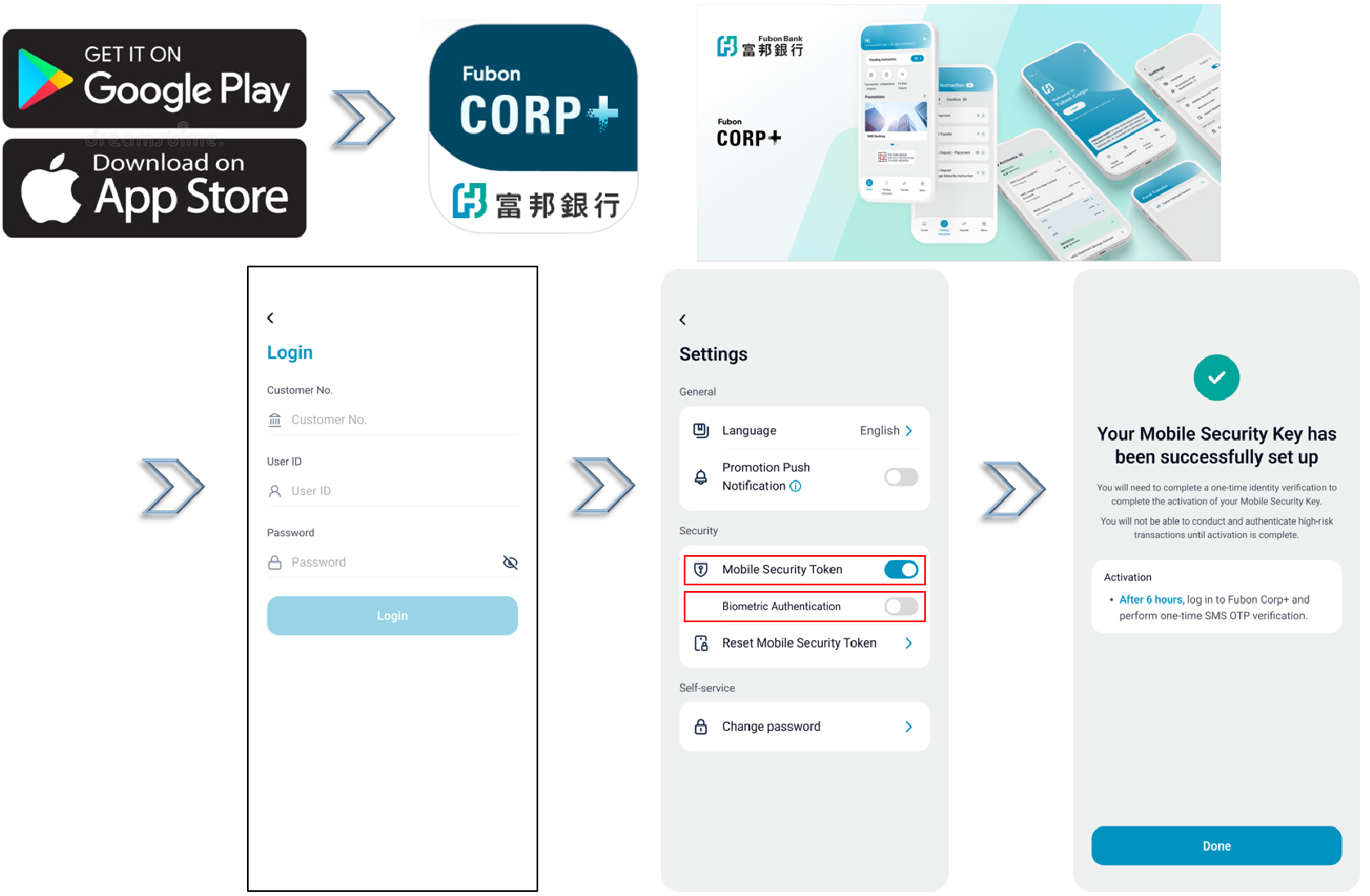
Activation of Biometric Authentication
- Biometric authentication is available for logging into Fubon Corp+.
- Go to “Settings” to turn on “Biometric Login” and activate.
-
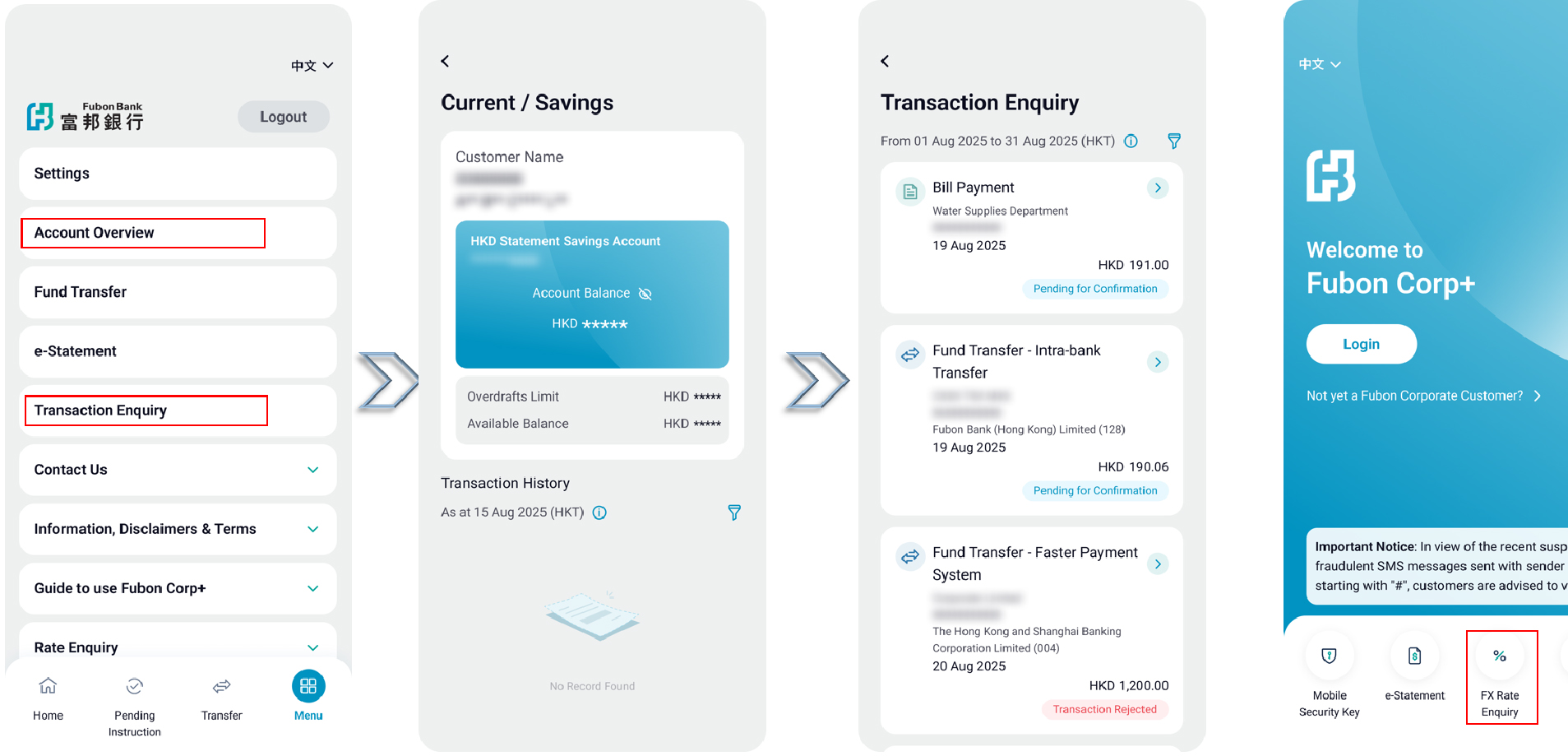
Account Overview, Transaction and Rate Enquiry
- You can view a list of accounts with different entities after a single login (subject to Fubon Business Online setting). This allows you to check account balances, transaction history, and foreign exchange rates.
- Go to “Account Overview” and view account balance with eye button.
- Go to “Transaction Enquiry” and use the filter button to select kinds of transaction.
- Go to “Rate Enquiry” and select “Foreign Exchange Rate Enquiry” to view the currency exchange rates.
-
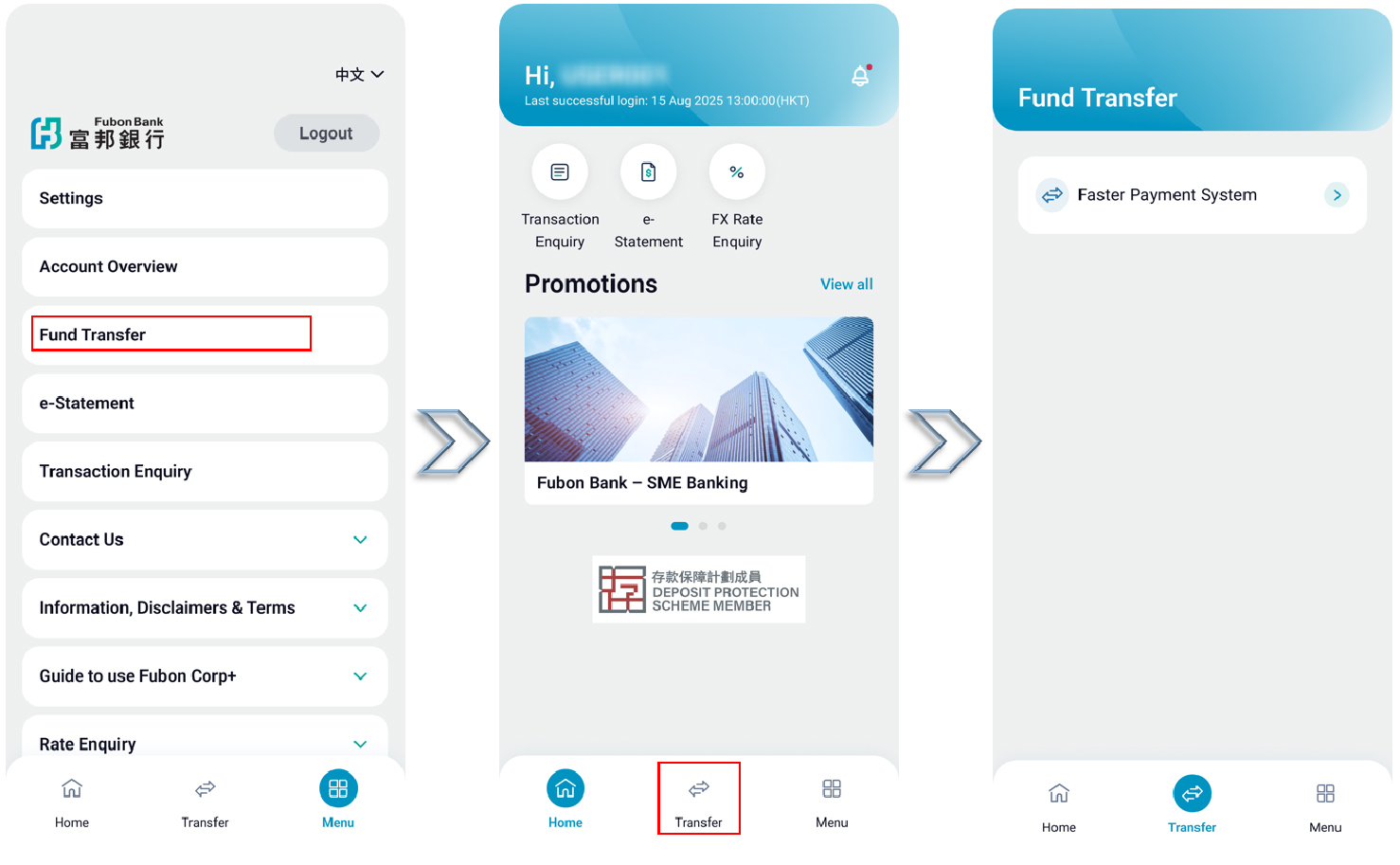
Payment & Transfer
- You can perform payment, transfer, and time deposit transactions anytime through the App.
- Simply go to "Bill Payment", "Fund Transfer", or "Time Deposit - Placement" and follow the on-screen instructions to complete your transaction.
-
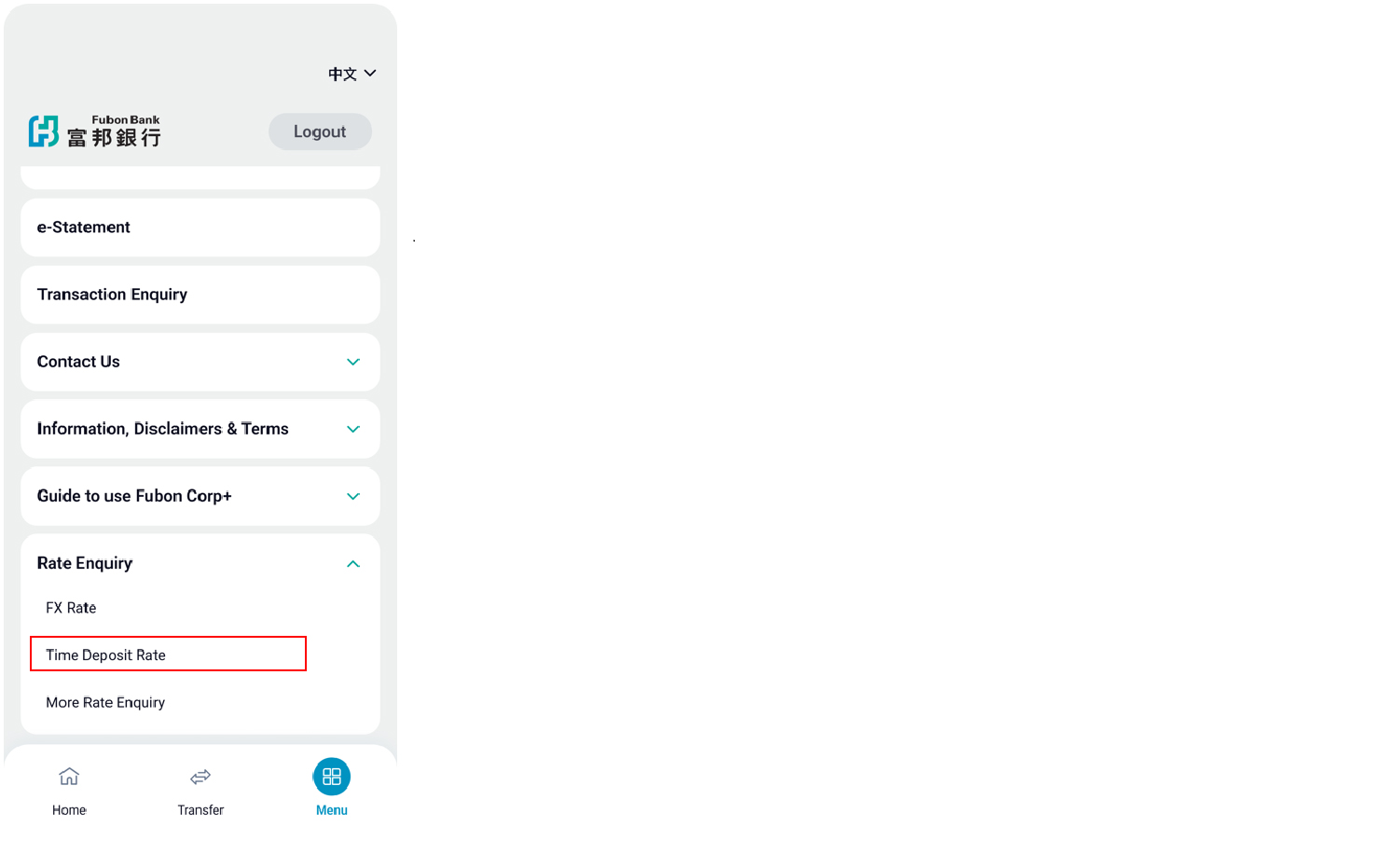
Time Deposit
- You can view the Time Deposit rates at any time.
- Go to “Rate Enquiry” and select “Time Deposit Rate” to view different currency rates.
-
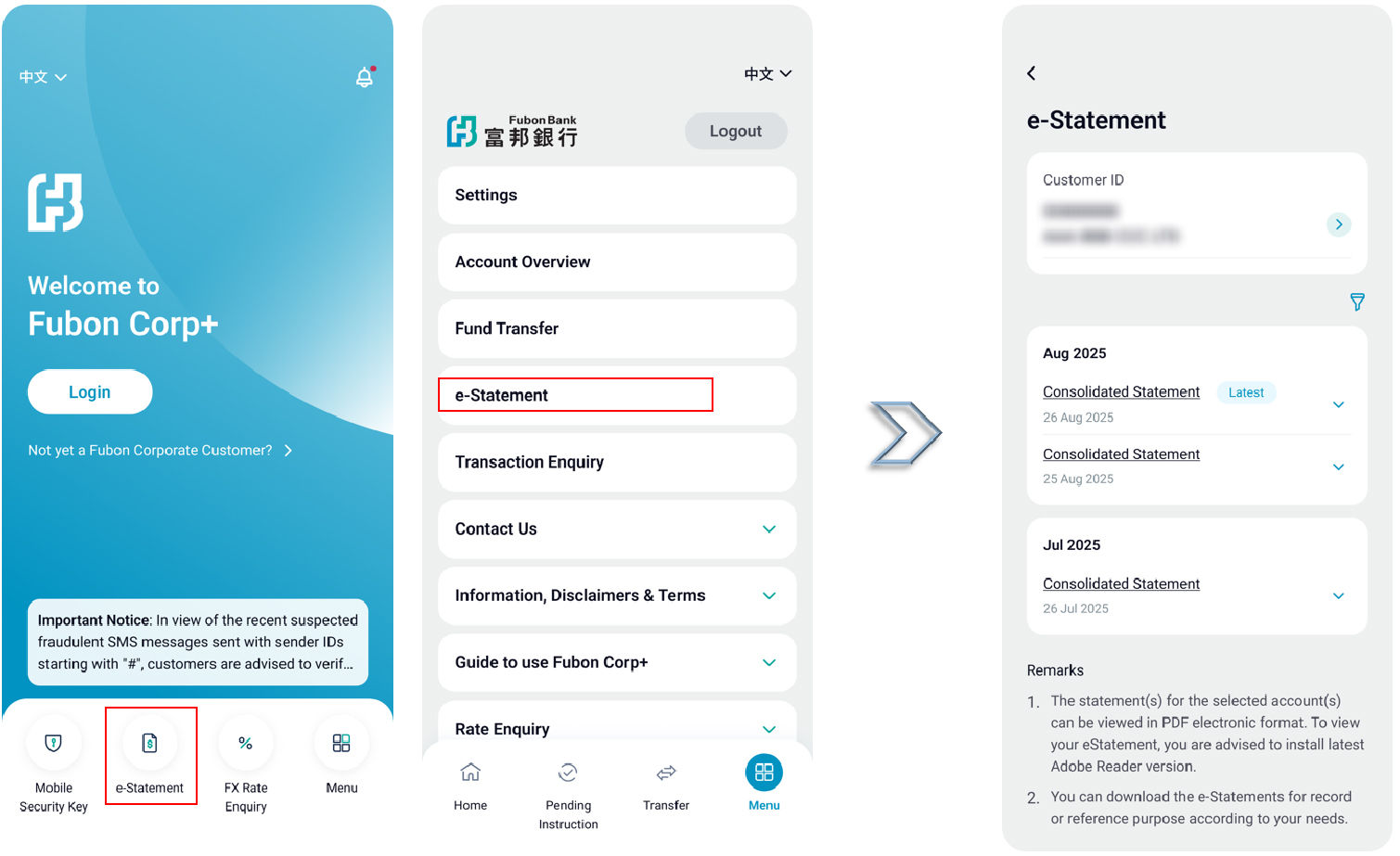
e-Statement
- You can view and download e-statements up to 7 years with different entities after a single login (subject to Fubon Business Online setting).
- Go to “e-Statement” and select your “Customer ID” and filter e-statement period as needed.
-
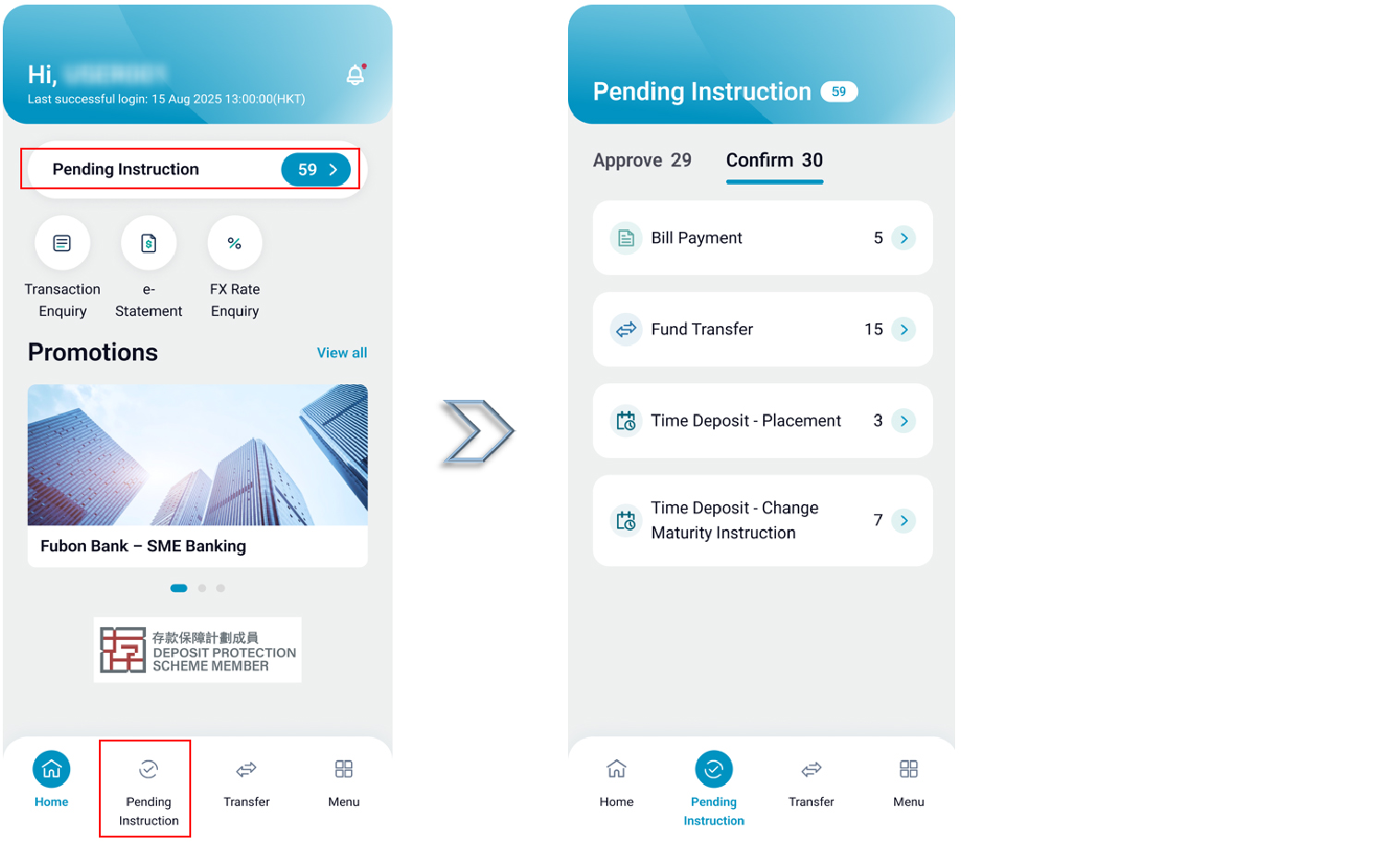
Transaction Approval
- You can approve various types of transactions one by one or choose to bulk approve all pending transactions in one go.
- After setting up a transaction instruction, , go to “Pending Instruction”, select “Approval” and choose the transaction type to approve transactions one by one or in bulk.
-
Push Notification
- By enabling Fubon Corp+ notifications in your device’s system settings, you will receive push notification from us via Fubon Corp+.
- After enabling notifications, you will receive approval notification.
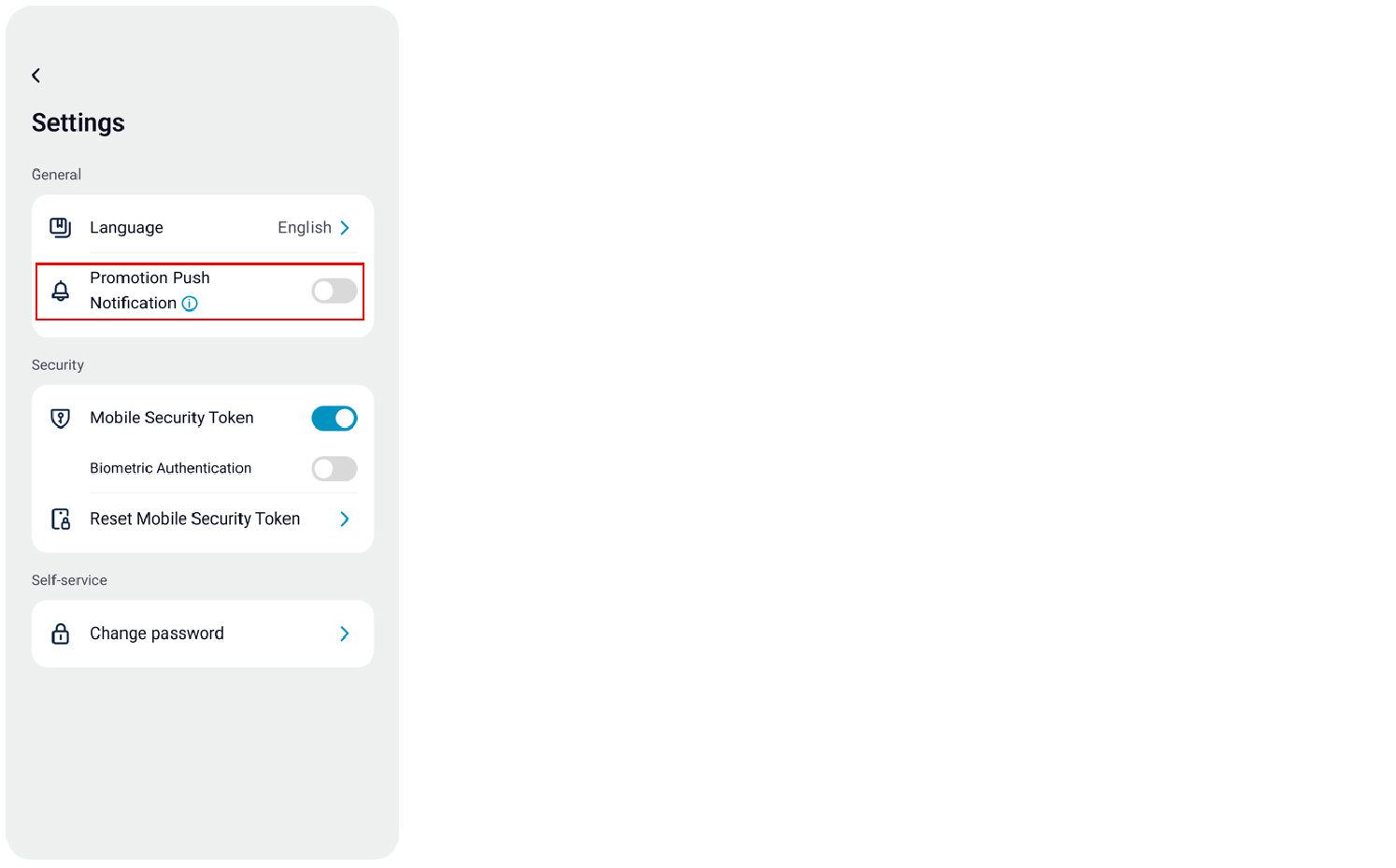
- To receive promotional notifications, go to "Settings" and turn on "Promotion Push Notification".
-
Change password
- You can change your password at any time. Your new password will be effective immediately. The password can be used to log in to both Fubon Corp+ and Fubon Business Online.
- Go to “Settings” to enter your old password and create a new password.
Note:
For security reason, please change your password regularly and avoid sharing it with anyone.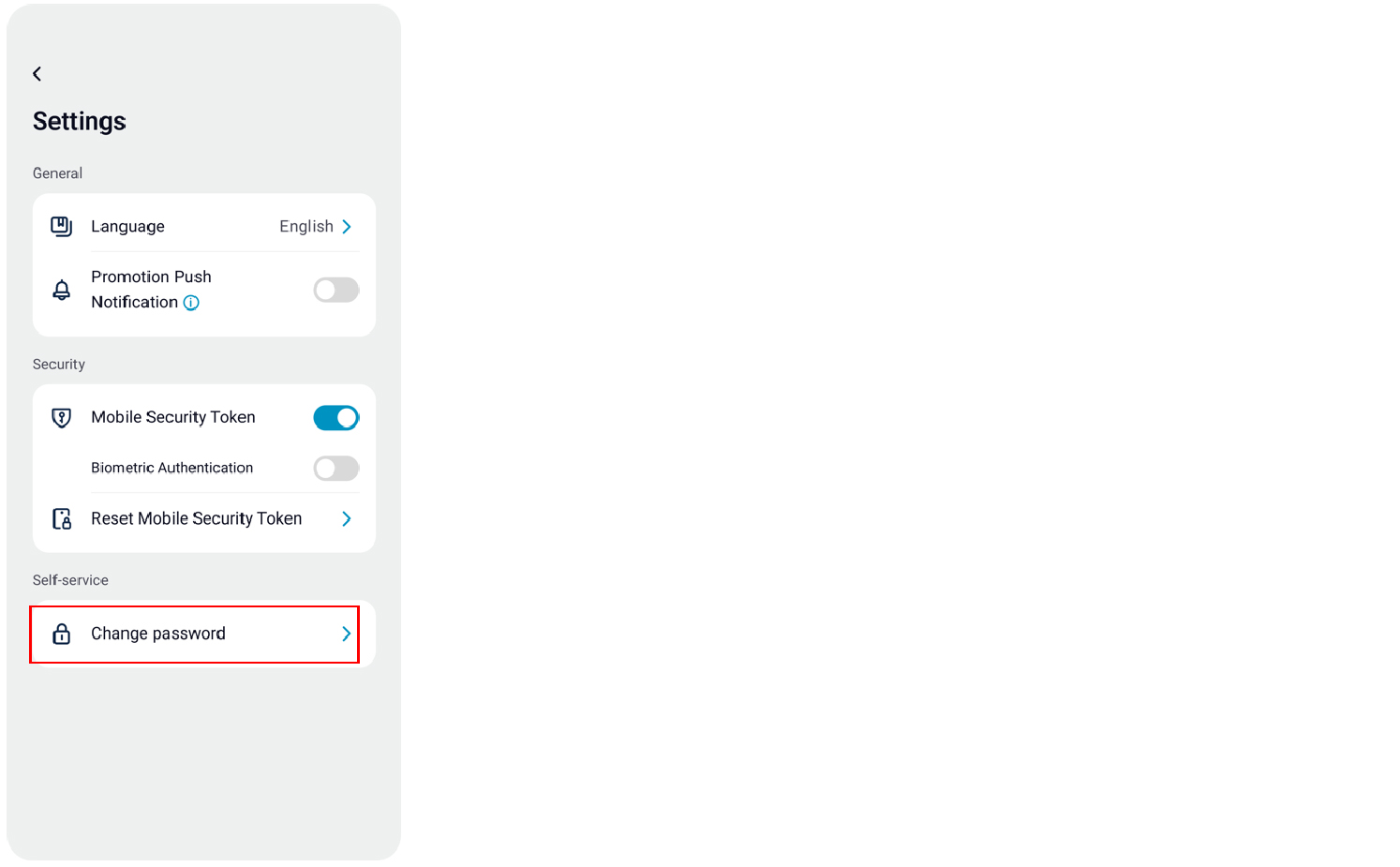
-
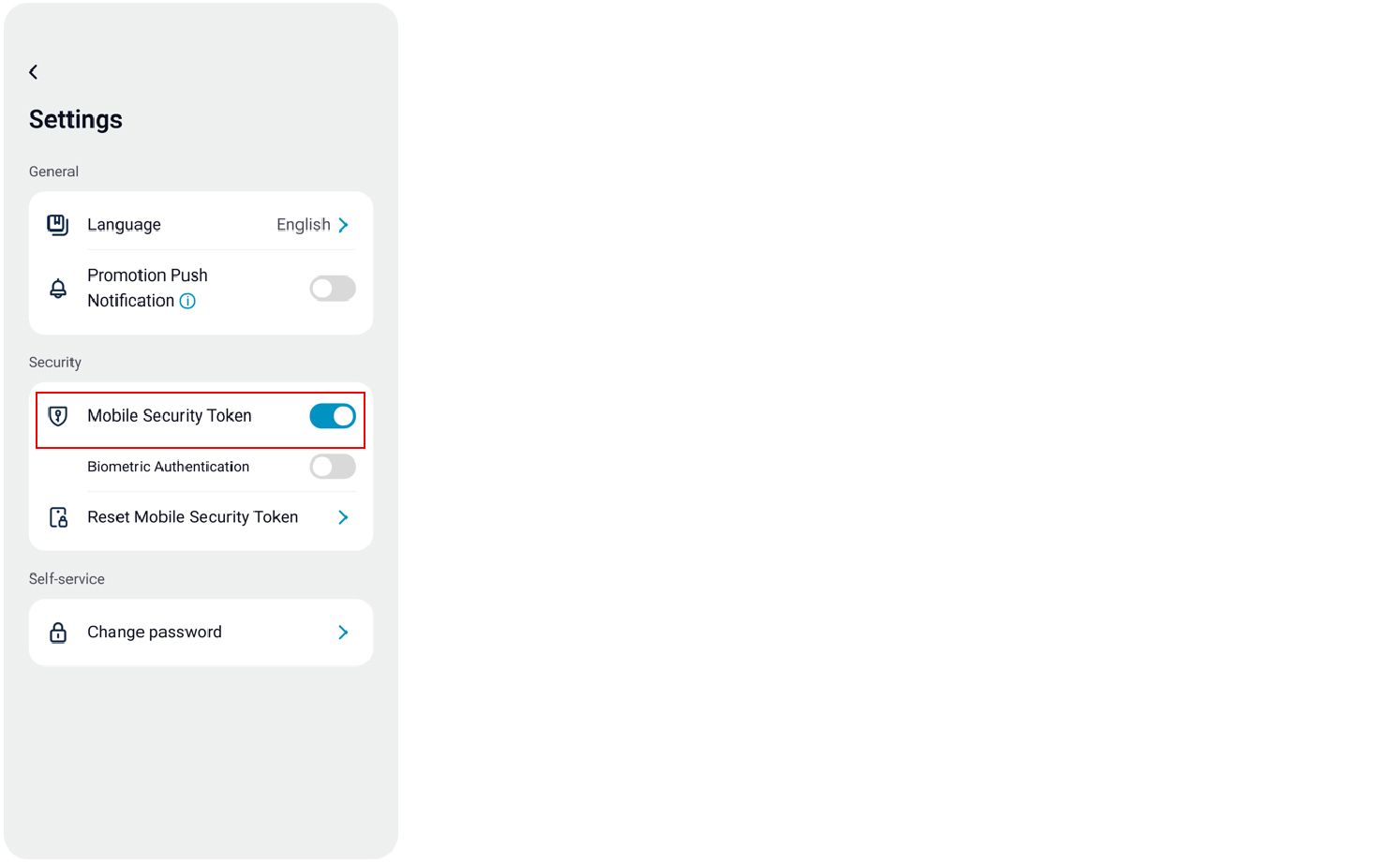
Binding Mobile Security Key to another device
- You can bind a Mobile Security Key to different entities on a single device and change the bound device at any time. However, each Mobile Security Key can only be linked to one device at a time.
- Go to “Setting” and select “Mobile Security Key”.
- An alert will appear when switching the Mobile Security Key. Please confirm by clicking "Register on this device".
-
Logout
- For security reasons, please click "Logout" after completing your inquiries or transactions on Fubon Corp+ to end your session safely.
- Always log out from the system to prevent unauthorized access, printing, or downloading of your company’s account information.
- If there is an extended period of inactivity, you will be automatically logged out of Fubon Corp+.
Important Note:
To protect against theft or unauthorized use of your information, please do not leave your mobile device unattended before logging out from Fubon Corp+.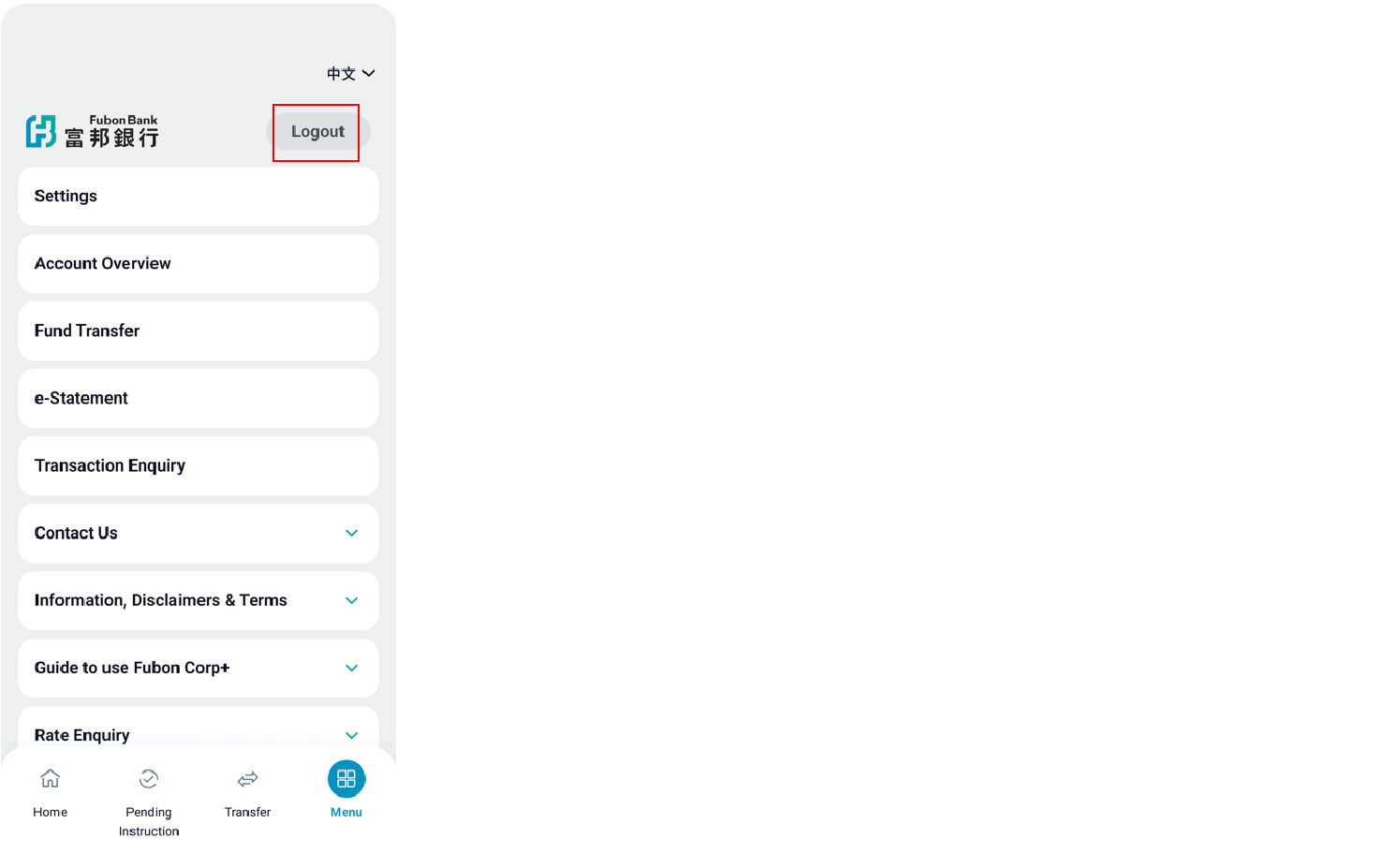
*Office Hours: Mon to Fri: 9am to 7pm ; Sat: 9am to 1pm (Except Public Holidays)
Important Message | Fubon Mobile Apps Security Tips | Careers | Rates Enquiry | Calculator | Service Charges | Key Facts Statement | Authorisation Arrangement Guide | Investor Relations | Regulatory Disclosures | Relating to the Personal Data (Privacy) Ordinance and Consumer Credit Data | Privacy Policy Statement | Privacy Impact Assessment | Global Terms and Conditions for Accounts and Services | Customer Due Diligence (CDD) Information | Anti-Bribery and Corruption Statement | Requirement for declaring excessive TWD (Chinese version only) | Common Reporting Standard | Code of Conduct and Practice | Understanding Dormant Accounts & Deceased Accounts | Web Accessibility Statement | Whistle Blowing
Member of Fubon Financial Holding Co., Ltd.
© Fubon Bank (Hong Kong) Limited . All Rights Reserved.